
Blind or low vision
Audio-described content that works with VoiceOver and TalkBack, large text and your own screen-reader settings.

Accessible guides for zoos, museums and attractions
Ablicon turns your phone into a guide that knows where you are. Walk up to an exhibit and its story appears, audio-described, captioned with ASL, or standard, depending on the accessibility settings your phone already uses. It also gives spoken, step-by-step directions to any exhibit, restroom, place to eat or gift shop.
Free. No account or login needed.
It reads your phone’s accessibility settings and sets itself up: audio description, captions or standard. Change it anytime from the menu.
A small Bluetooth beacon at each exhibit tells your phone where you are. Nothing to find, scan or type.
App open: the exhibit page appears. Phone in your pocket: a vibration and a notification your screen reader can read.
Audio-described content that works with VoiceOver and TalkBack, large text and your own screen-reader settings.
Captions, ASL video and transcripts, plus vibration alerts instead of sound. Works with hearing aids already paired to your phone.
Stories, photos, videos and keeper-talk times at each exhibit, with full functionality on your own earbuds and headphones.
No shared handsets to collect, return or clean between guests. No sanitation issues, no lines.
No account, no name, no location history. Anonymous usage data only, and you can switch it off anytime.
Tap Directions in the app’s menu. The closest restroom, place to eat and gift shop come first, then every exhibit, nearest first. Pick one and Ablicon explains the way in plain words, starting from the direction you are facing:
“Turn right. Walk 40 steps. Bear left. Walk 25 steps. Stop. On your left: Giraffe.”
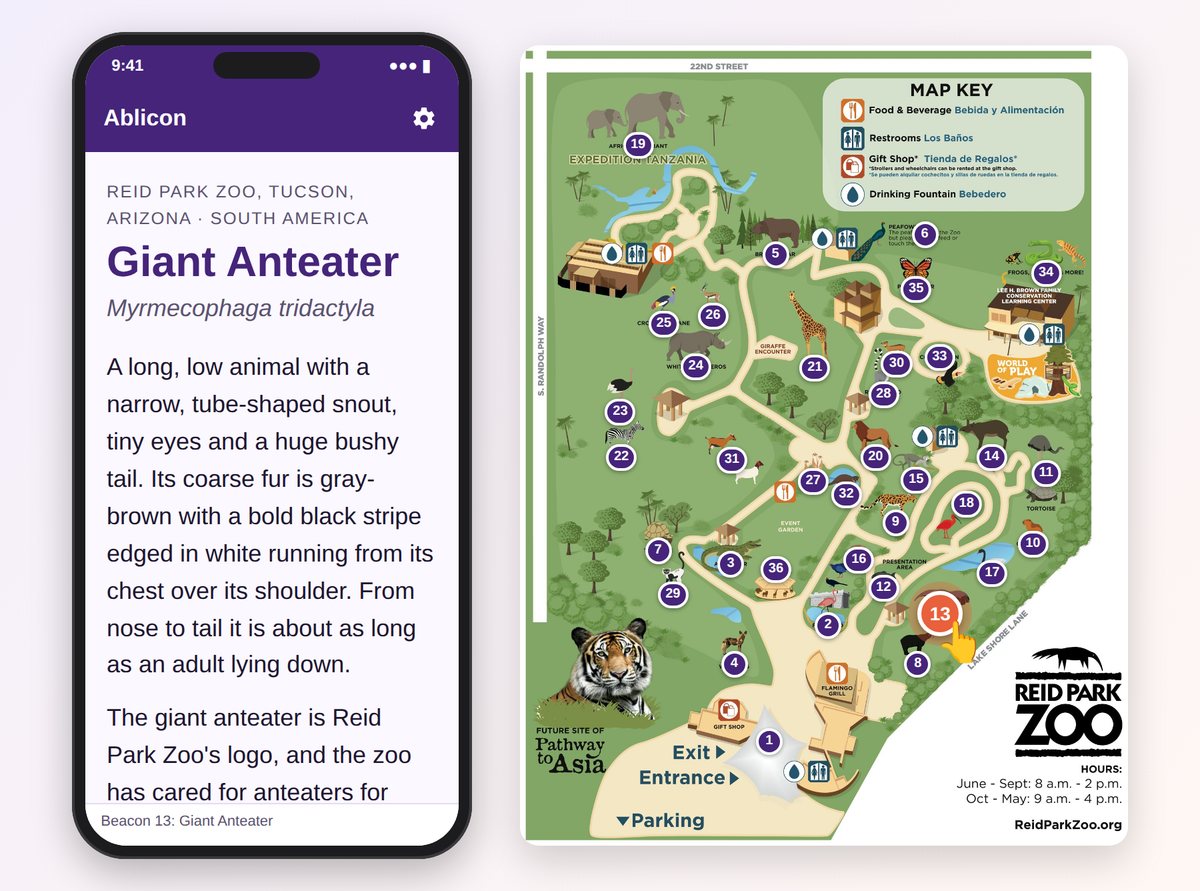
We set up a demo using the Tucson zoo, with sample pages for 36 exhibits plus its restaurants, gift shop and restrooms. Click any numbered pin to see what a guest’s phone shows at that exhibit, and use the phone’s gear button to switch between the standard, visually impaired and hearing impaired versions.
Then switch the map to Directions, drag the person to any spot, turn them to face a direction and pick where to go. They walk the route on the map.
No sign-in needed. Works best on a computer or tablet.
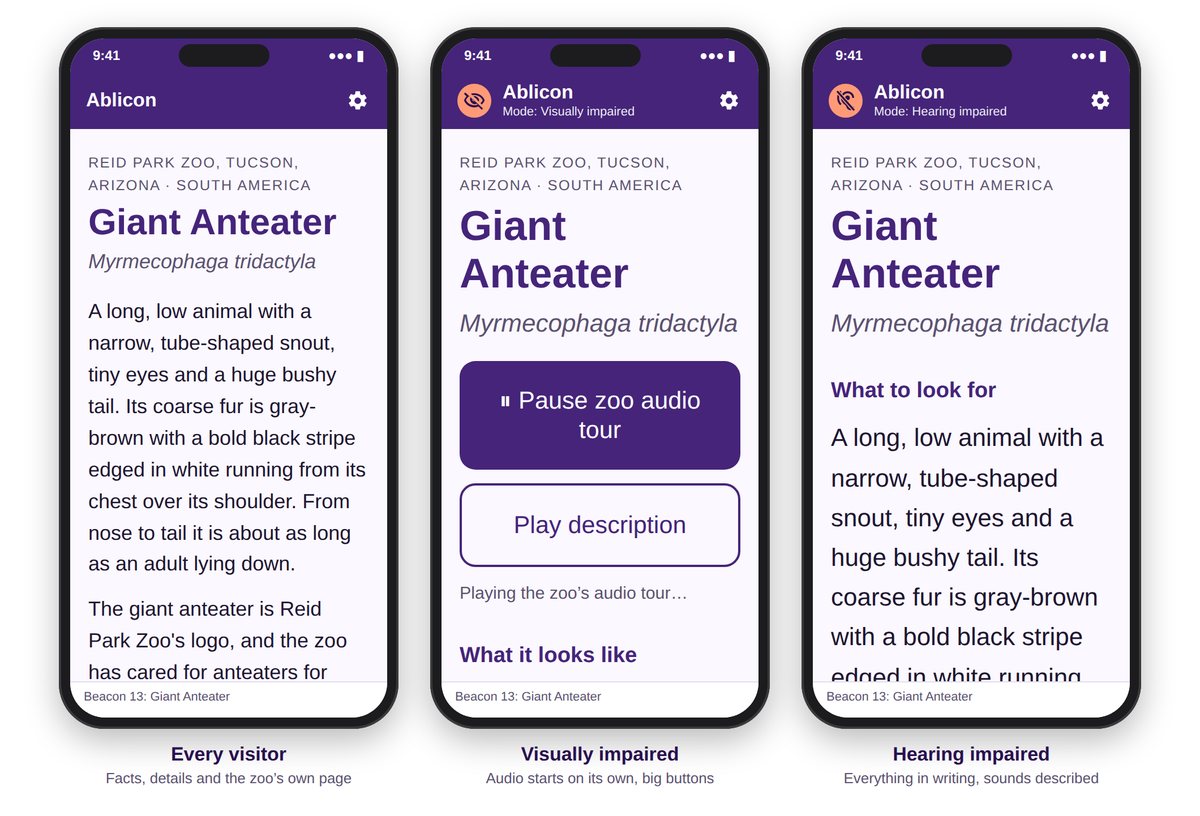
The app picks the right version from the phone’s accessibility settings. Guests can change it at any time.
Give every guest an accessible guide without running a fleet of devices.

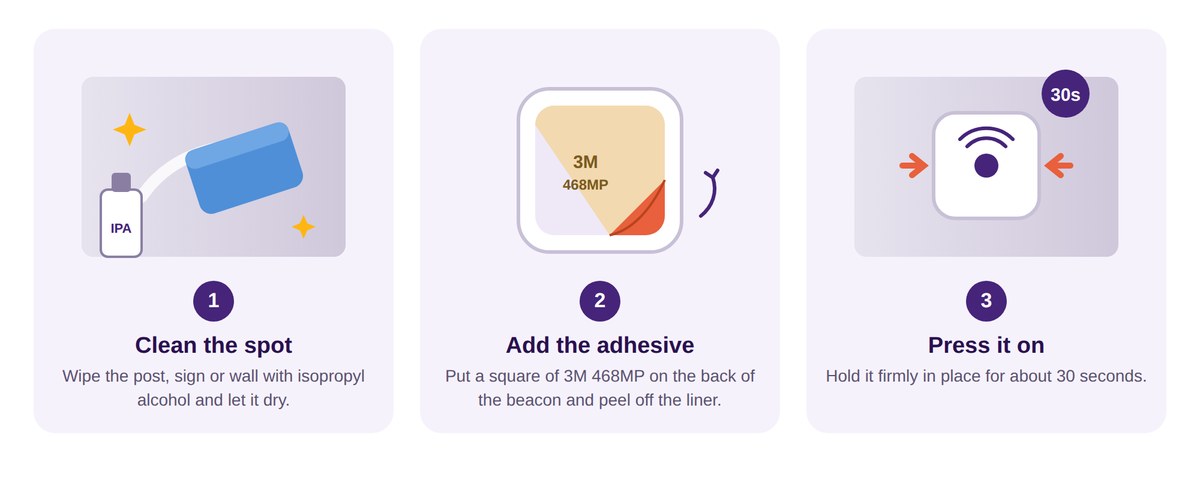
Each Feasycom beacon powered with 2 AAA batteries (not included) mounts with double sided stickers (included). Where you want a beacon to stay put for good, or on wood and rough surfaces, screw it on instead.
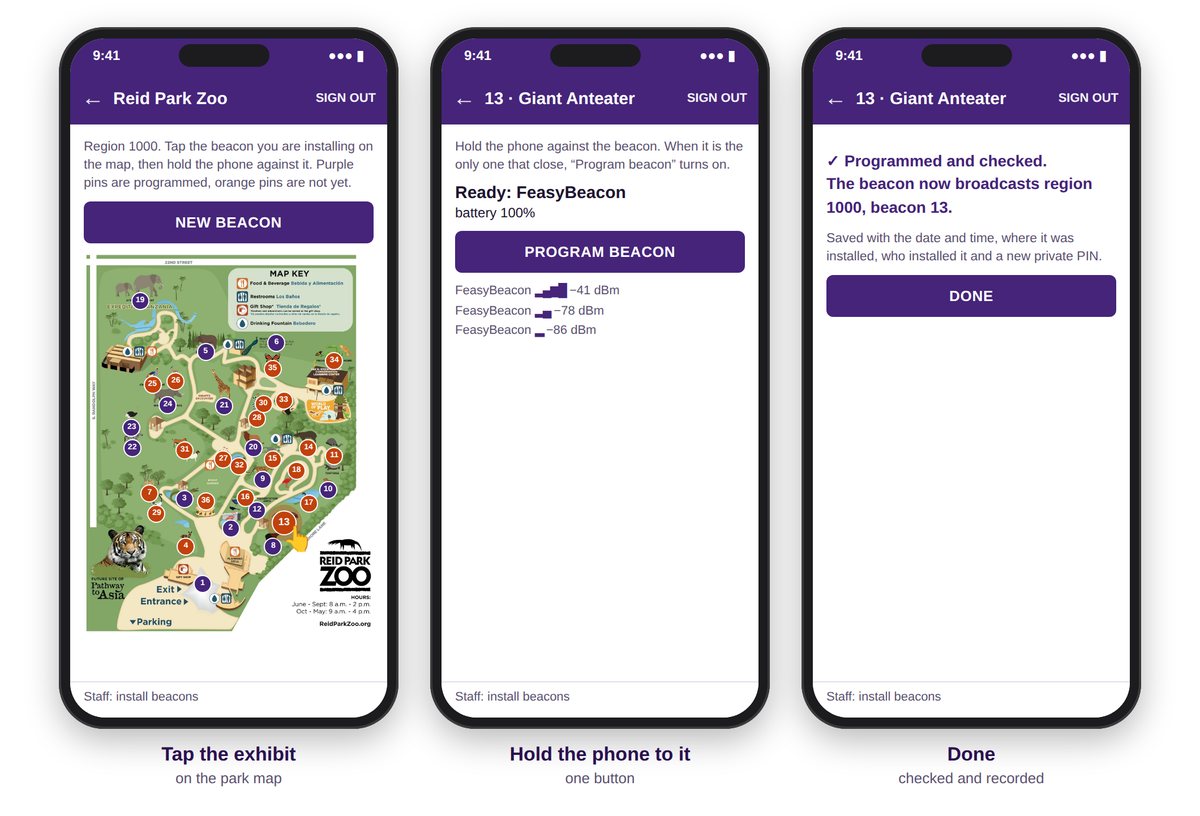
Your staff sign in to the Ablicon installer, tap the exhibit on your park map, hold the phone against the beacon and press Program beacon. The app sets up the beacon and checks that it works.
Each installation is recorded with the date, time, place and who installed it, and the beacon gets its own private PIN. Your dashboard then shows each beacon’s status and emails your team when a battery runs low.
3M is a trademark of 3M Company. Feasycom is a trademark of its owner.